
Import Data from Excel in Zoho Creator
Here is our approach for importing data from Excel in Zoho Creator in a simple way.
Even a non-technical person can easily do it in just few steps.

Approach
We can import data from Excel in Zoho Creator using the steps given below
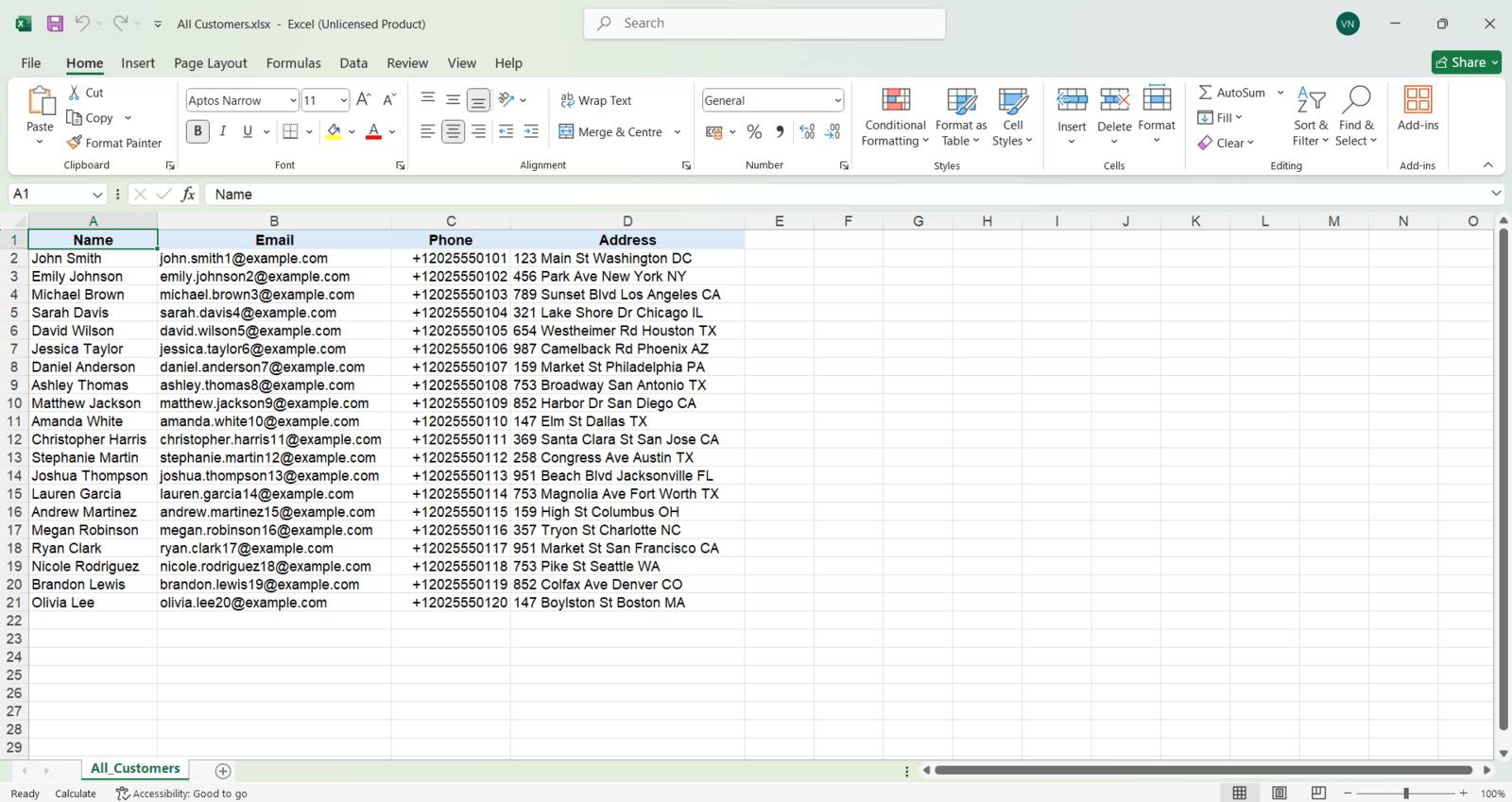
1. Have a Excel spredsheet, with the required columns you need to fill in the form
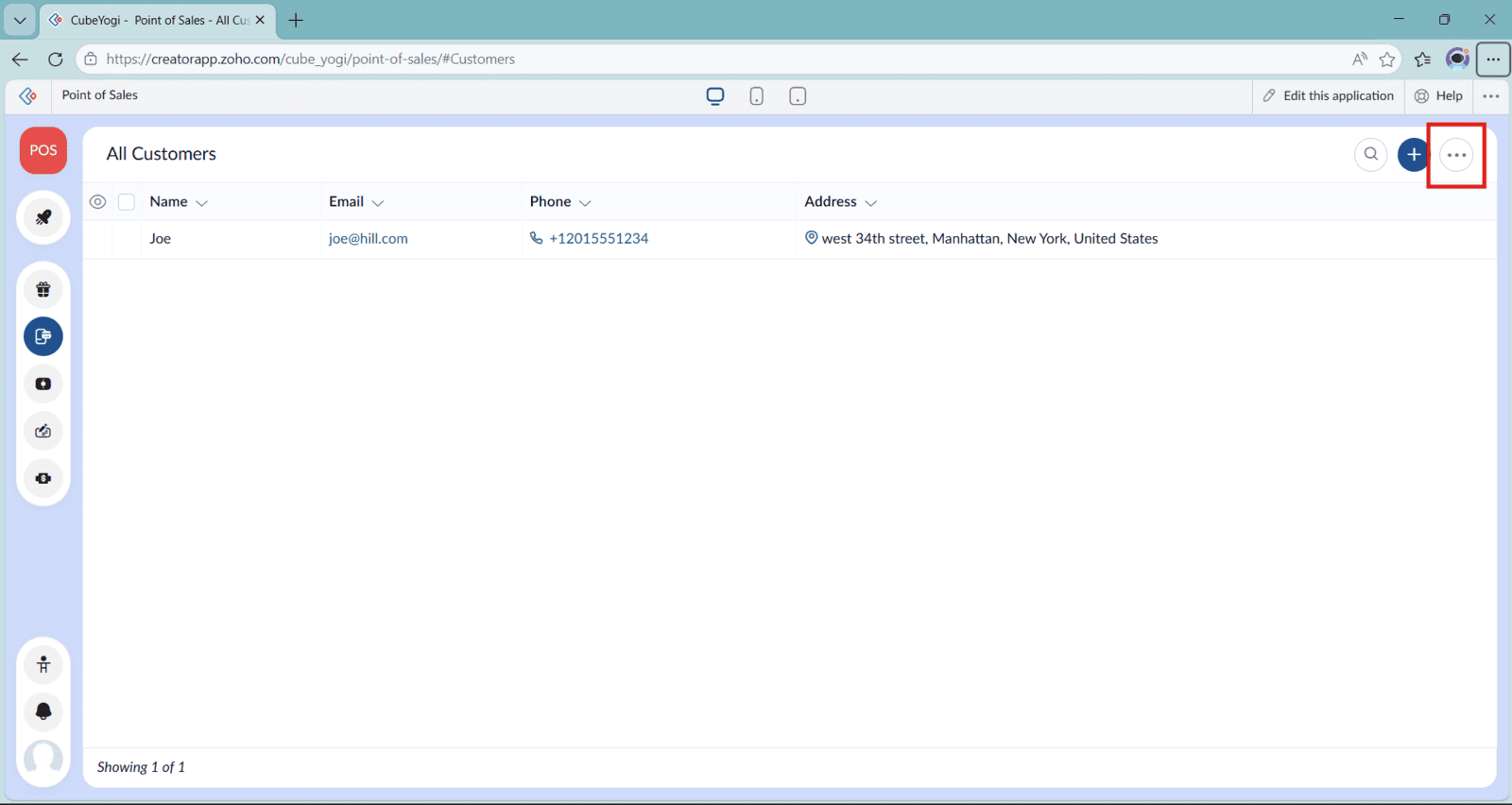
2. Go to the Form's Report you want to import and click the three dots in the top right
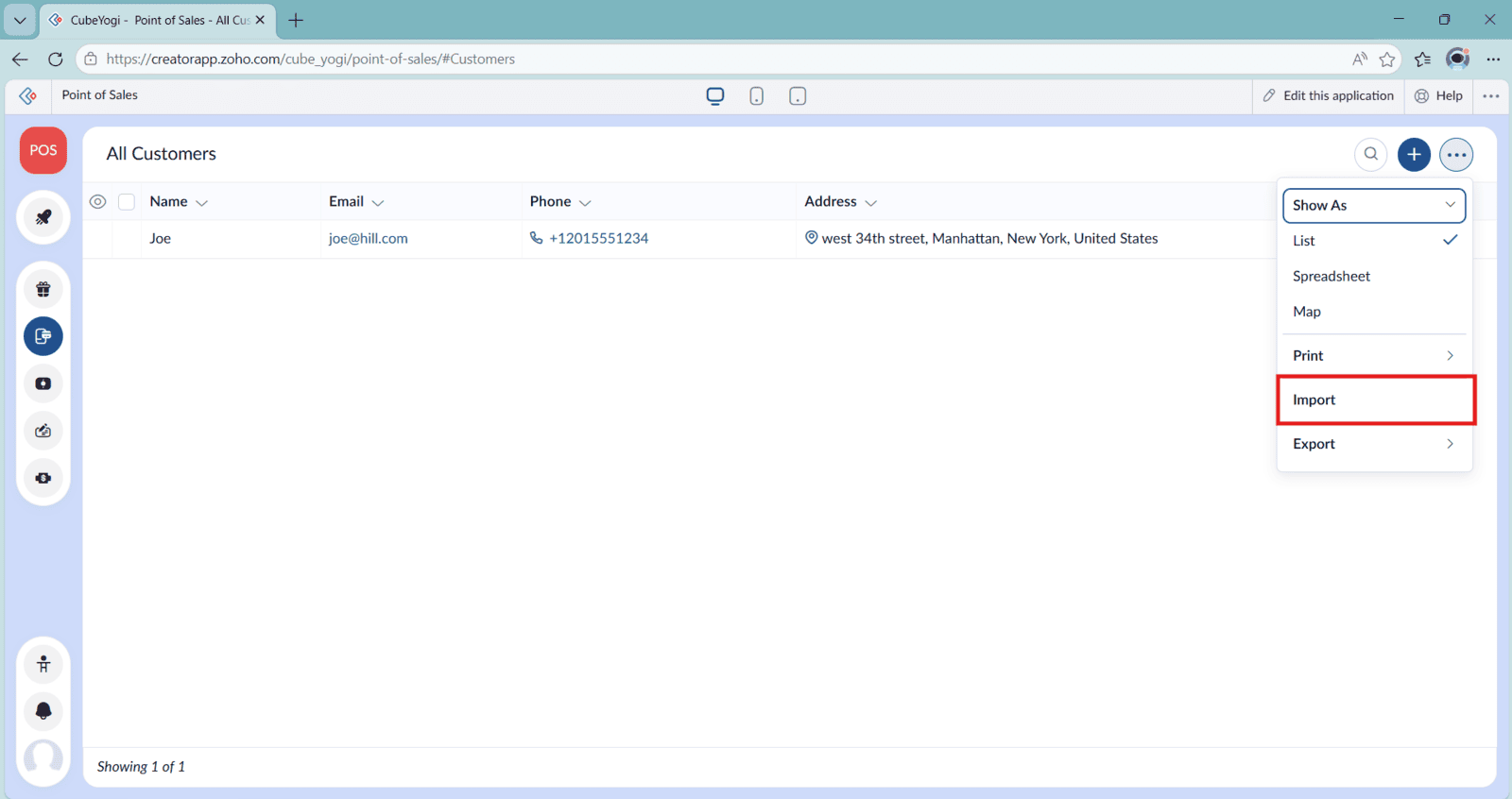
3. Select "Import" from the options
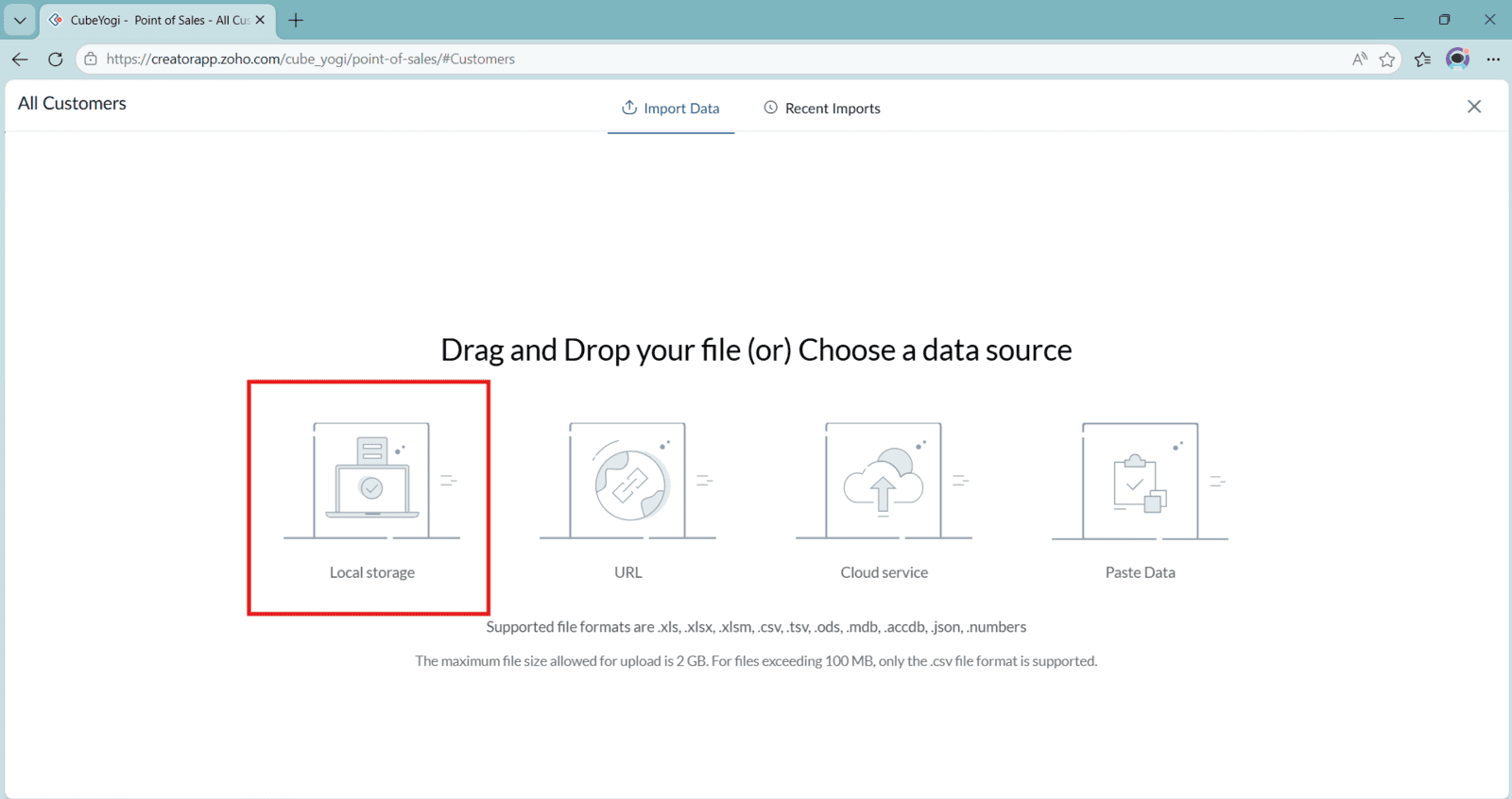
4. Select "Local Storage" and select the file to import
5. See the Columns from Excel are mapped to the correct fields of the form
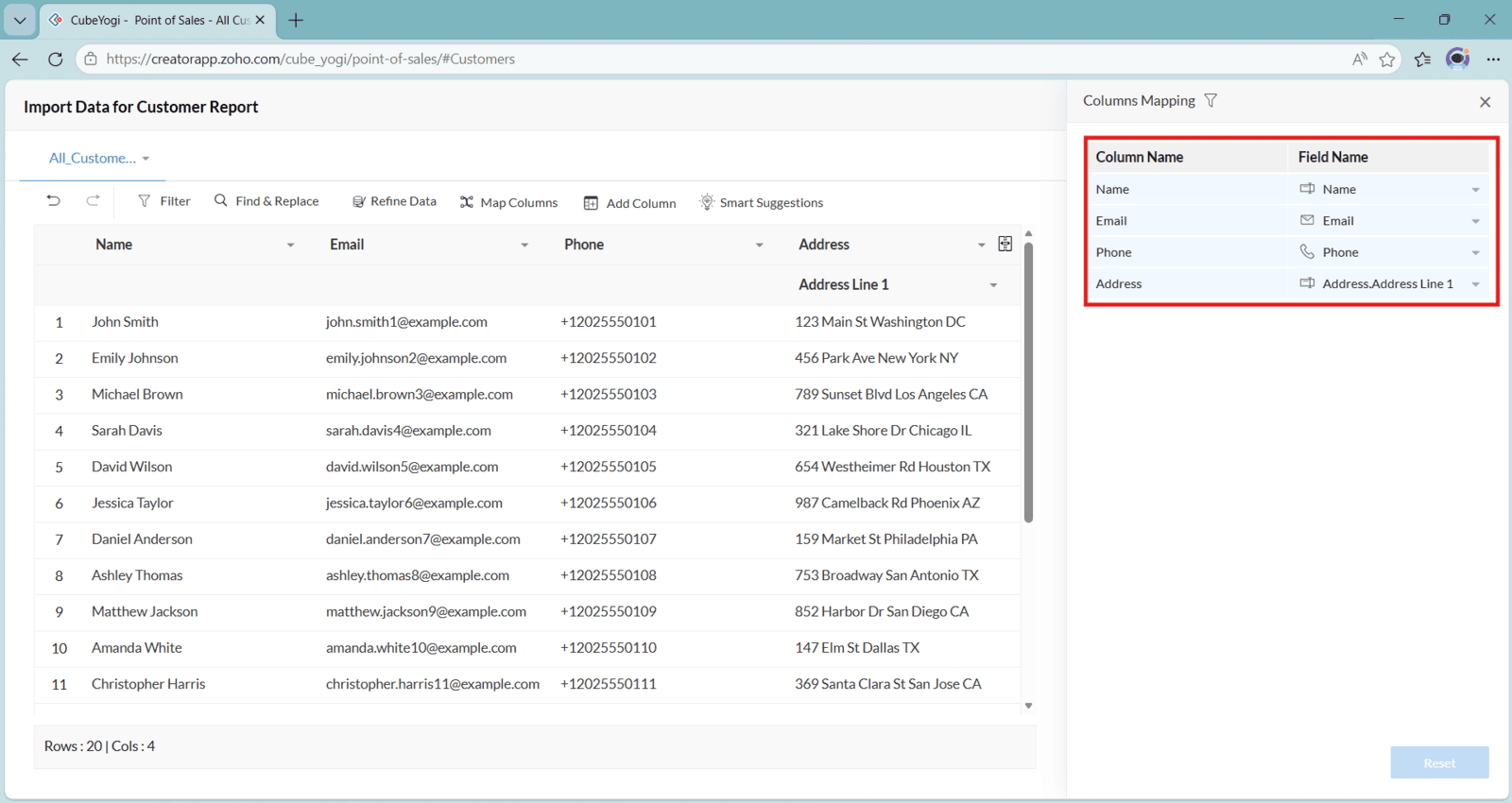
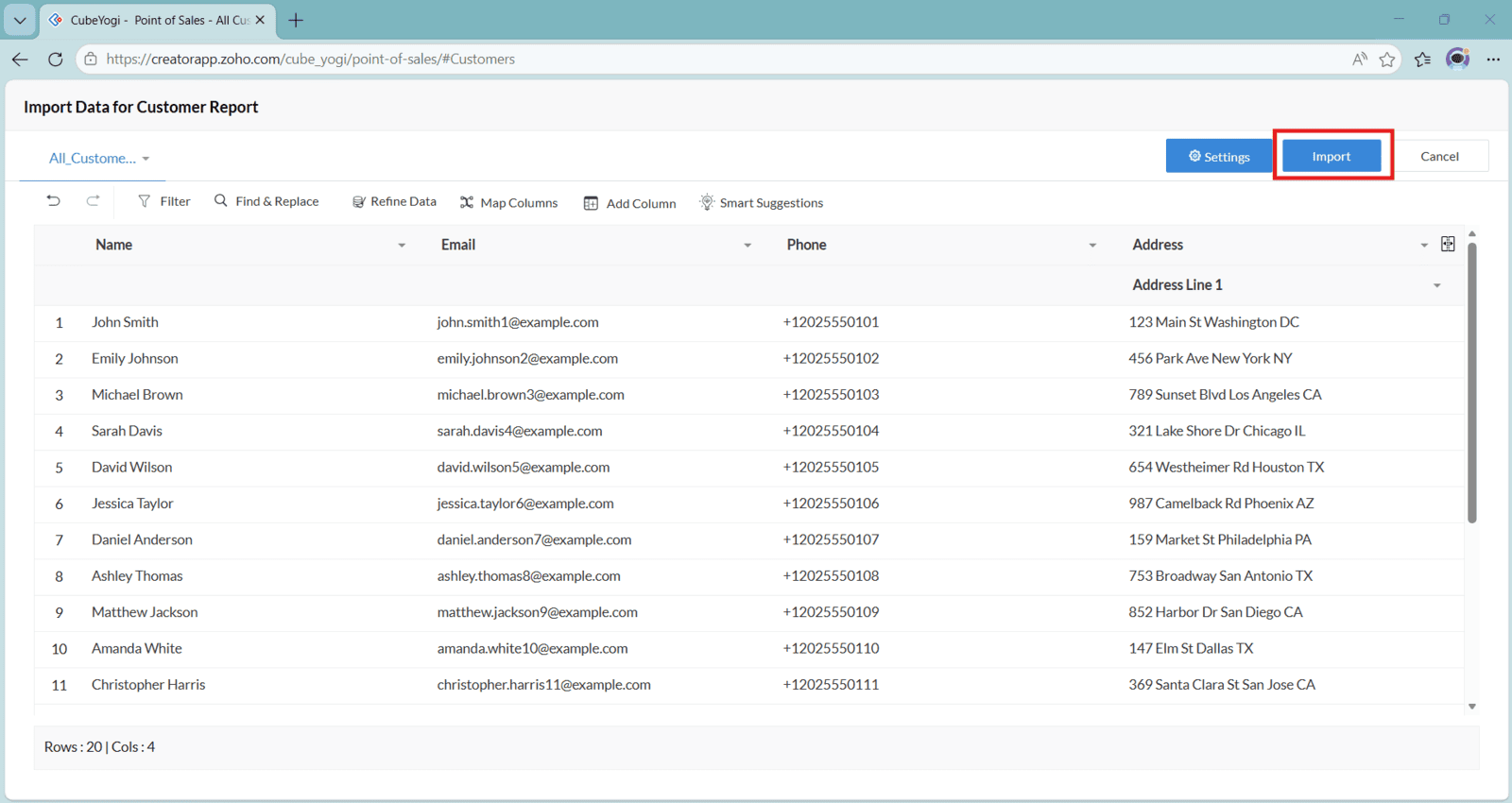
6. After you are happy with that, you can click "Import" to import the data to Zoho Creator
Video: Import Data from Excel in Zoho Creator
Here is the video explanation of the above steps


